The systemic board on phones and tablets
The Parafeld™ System Board is a website. It runs in the browser of a phone or tablet – no app from the store is needed. Operation is designed for use with a finger.
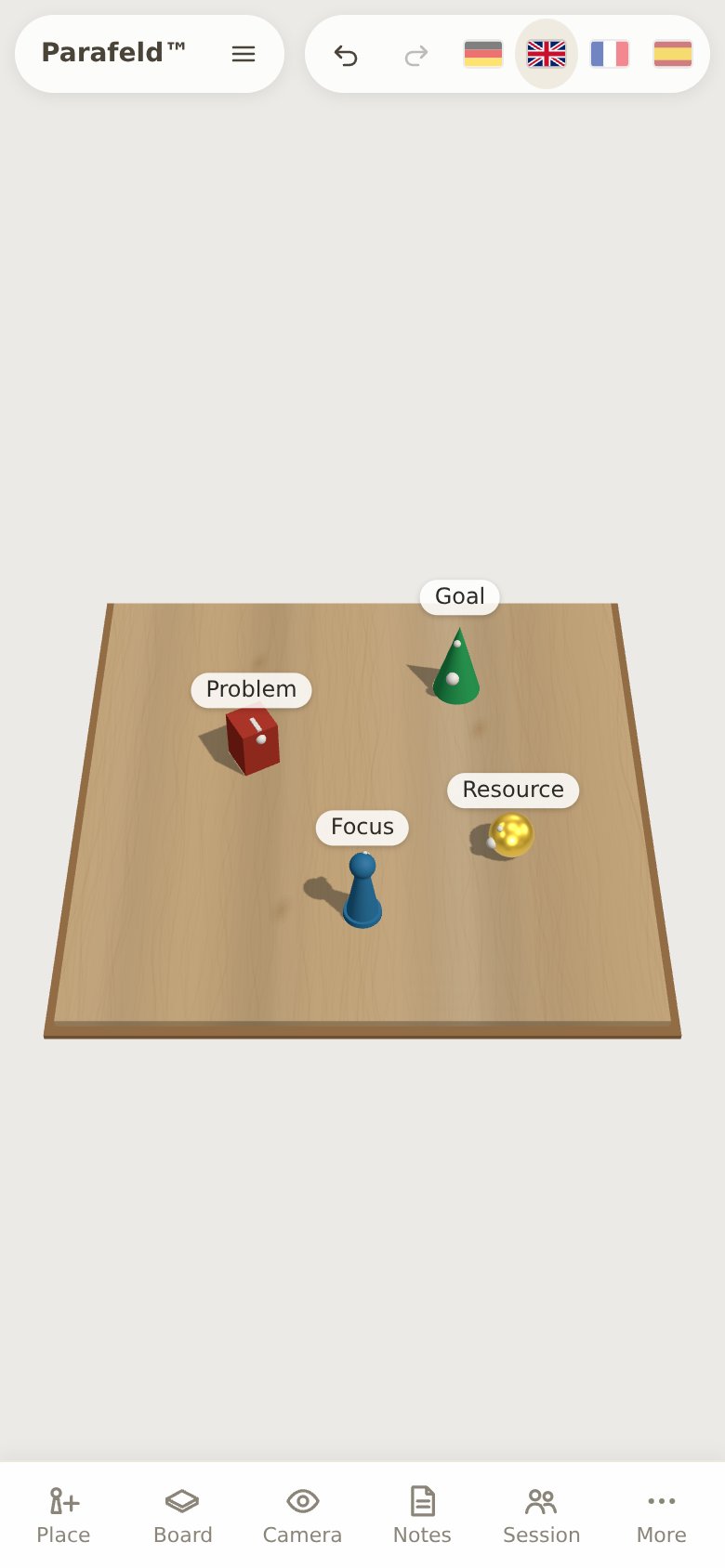
No app, no account
Open parafeld.de/brett in the browser. The board needs an up-to-date browser with WebGL. Whatever you place, it saves continuously in the browser of the device. A computer and a phone therefore each have their own, separate state. If you want to take a constellation to another device, use “Export” and “Import” or the scene link; both are described under Documentation.
The bar at the bottom
On the narrow screen of a phone, the widgets do not sit at the edge but are sheets in a bar at the bottom. One tap opens a sheet, a second one closes it again.
- Place – place figures, areas, objects and markers, draw connections.
- Board – material, background, surroundings, markings and edge labels.
- Camera – bird’s-eye view, angled from above, free view, first-person view, meta position, counterpart; plus fields of view and distances.
- Notes – title and concern, snapshots, report, picture to take home, export.
- Session – start a live session or take part in one.
- More – among other things “Templates and quick setup …”, “Save image” and Help.
When an element is selected, its properties appear in compact form above the bar: label, colour, size, turning and more. Undo and Redo are at the top right on a phone too. If the browser window is at least 760 pixels wide, the widgets sit to the left and right of the board as on a computer. Many tablets reach this width, some only in landscape format.
Gestures on the board
| Gesture | Effect |
|---|---|
| Tap on an element | selects it |
| Tap on an empty spot | clears the selection |
| Drag an element | moves it |
| Drag the blue ring | turns the selected element; a figure follows the finger with its line of sight |
| Double tap on an element | opens the label |
| Long press on an element | opens a menu: First-person view, Meta position, Label, Fix in place, Duplicate, Draw connection, Remove |
| Long press on an empty spot | offers to place the last chosen shape exactly there |
| Drag with one finger on an empty area | rotates the view |
| Two fingers | zoom and pan the view |
| Drag in the first-person view | looks around |
If you hold the phone upright, the board opens with the view from the front, so that the figures are easy to grab despite the narrow width. You choose other views on the “Camera” sheet.
Clients join by QR code
On a phone, the QR code is the shortest way into a live session. The facilitator shows the “QR code” in the “Live session” widget, and the client scans it with her phone’s camera and opens the link. She enters her name, taps “Join” and is in – without an app and without an account. This works by video as well as in the same room, when the client uses her phone as her own board. The guide Constellations by video describes how a session by video runs.
The picture to take home reaches the phone the same way at the end: as a QR code to scan or as a link.
Frequently asked questions
Is the systemic board available as an app?
No, and that is not necessary either. The Parafeld™ System Board is a website and runs in the browser of a phone, tablet and computer. There is nothing to install and nothing to update.
Can I facilitate on a computer while the client works along on her phone?
Yes. In the live session, each person works on their own device. The client sees the board in her own view and moves her figures with her finger, while you work on the computer with mouse and keyboard.