Live session: together on the same board
In the live session, everyone involved sees and moves the same board – each on their own device. The invitation is a link. Whoever opens it is in: no account, no installation.
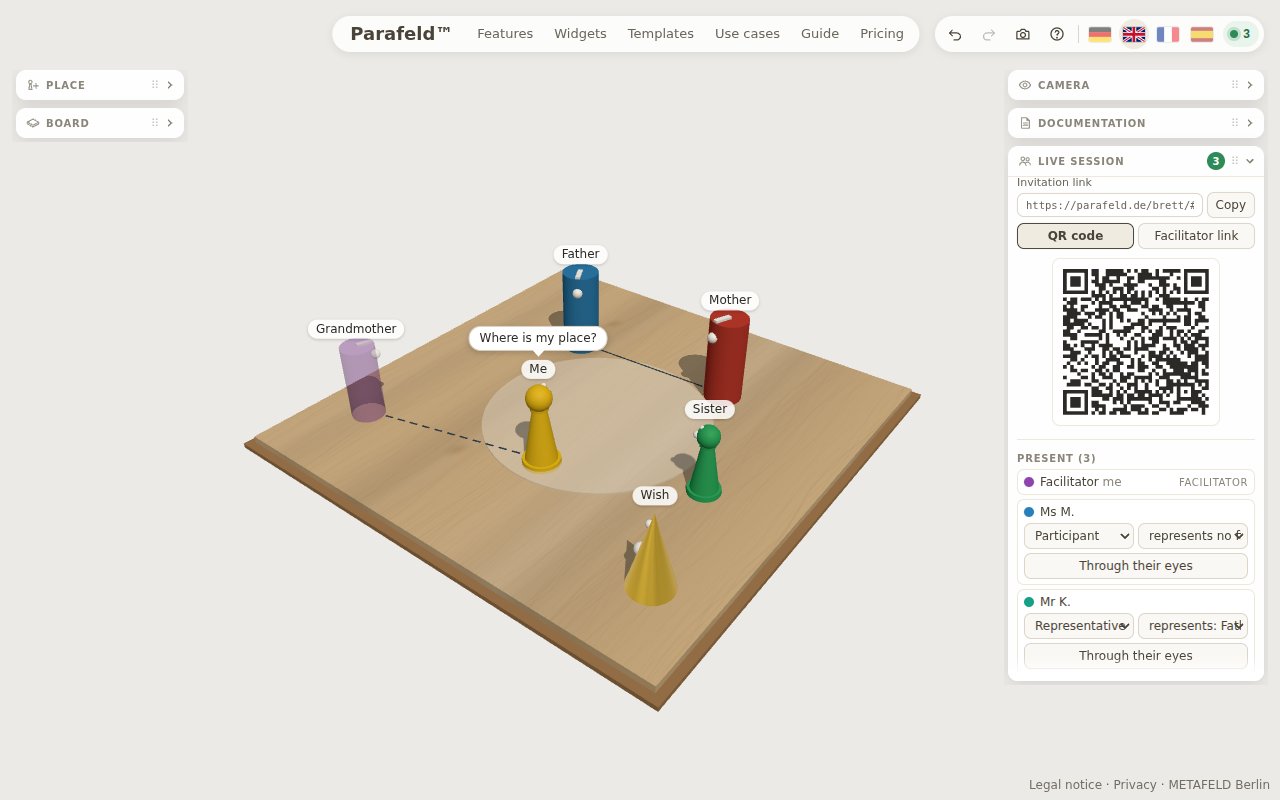
How a session begins
- Start the session In the “Live session” widget, enter your name and click “Start live session”. If you wish, you can also set a PIN.
- Pass on the invitation Copy the invitation link into the chat of your video call or into a message. If the client is sitting next to you or using her phone, the QR code is enough.
- Place figures together As soon as the client opens the link, enters her name and clicks “Join”, she appears in the list of people present. Every movement of a figure is visible to everyone at once.
The video call continues in the program you already use. You can enter the link to your video room in the “Video room” field and use “Share” to post it in the session chat; there it appears for everyone as an “Open video room” button. A step-by-step description is in the guide Constellations by video; the page Facilitating an online constellation describes how a whole session can run, from the preliminary conversation to the close.
Who can do what: four roles
| Role | Can | Typical for |
|---|---|---|
| Facilitator | everything: place figures, assign roles, end the session | coach, therapist, supervisor |
| Participant | place, move and label figures | client in an individual session |
| Representative | move and turn only their own figure, give it a speech bubble and a feeling | participants in a group constellation |
| Observer | view the board but not change it | training group, colleagues |
Whether new guests join as “Participant” or “Observer” is set under “Role of new guests”; in the list of people present, each person’s role can be changed during the session. Up to 30 people can take part in a session.
What else the facilitator has in hand
- Concealed constellation: the others see letters instead of names. Representatives then do not know whom their figure stands for.
- Show my view: everyone receives your view once and then looks around freely again – helpful when you want to point to a particular spot.
- Through their eyes: you see the board as a participant currently has it in front of her.
- Assign figures: each participant can represent a figure and see the board from its perspective.
There is also a chat for everyone involved, for short notes without interrupting the conversation.
Encrypted from device to device
Constellations touch on personal matters. That is why the live session is end-to-end encrypted: the key is only in the invitation link, in the part after the “#” character – a browser never sends this part to a server. Our server passes on encrypted data only and can read neither names nor figures nor the chat.
Your notes, the concern and the snapshots are not part of the session. They stay in your browser. With “End for everyone”, the room is deleted immediately; otherwise it is deleted 30 days after it was last used. Details are under Security and privacy.
Important: anyone who knows the complete invitation link can join the session. Only pass it on to the people involved – and set a PIN if the link is sent through an insecure channel.
After the session
After leaving, guests have their own board in front of them again; the facilitator keeps the shared picture on the board. You can capture it as a snapshot, output it as a report or send it to the client as a picture to take home.
The live session is part of the Practice plan; during the introductory phase it is free to use. Everyone invited can join without an account and free of charge. More under Pricing.