First-person view on the 3D systemic board: through the eyes of a figure
You look at a wooden board from above. The Parafeld™ System Board is three-dimensional: it can be viewed from any direction – including from the spot where a figure stands. This makes visible what the picture looks like from a particular position. The page 2D or 3D describes how a board in 3D differs from a top view.
Three overviews of the whole board
The “Camera” widget switches between the views:
- Bird’s-eye view – straight down from above, like a floor plan. Distances and arrangement are easiest to see here.
- Angled from above – the view of a board lying on the table in front of you.
- Free view – rotate, tilt and zoom freely. With a mouse, drag on an empty spot and zoom with the mouse wheel; on a phone or tablet, one finger rotates the view and two fingers zoom and pan.
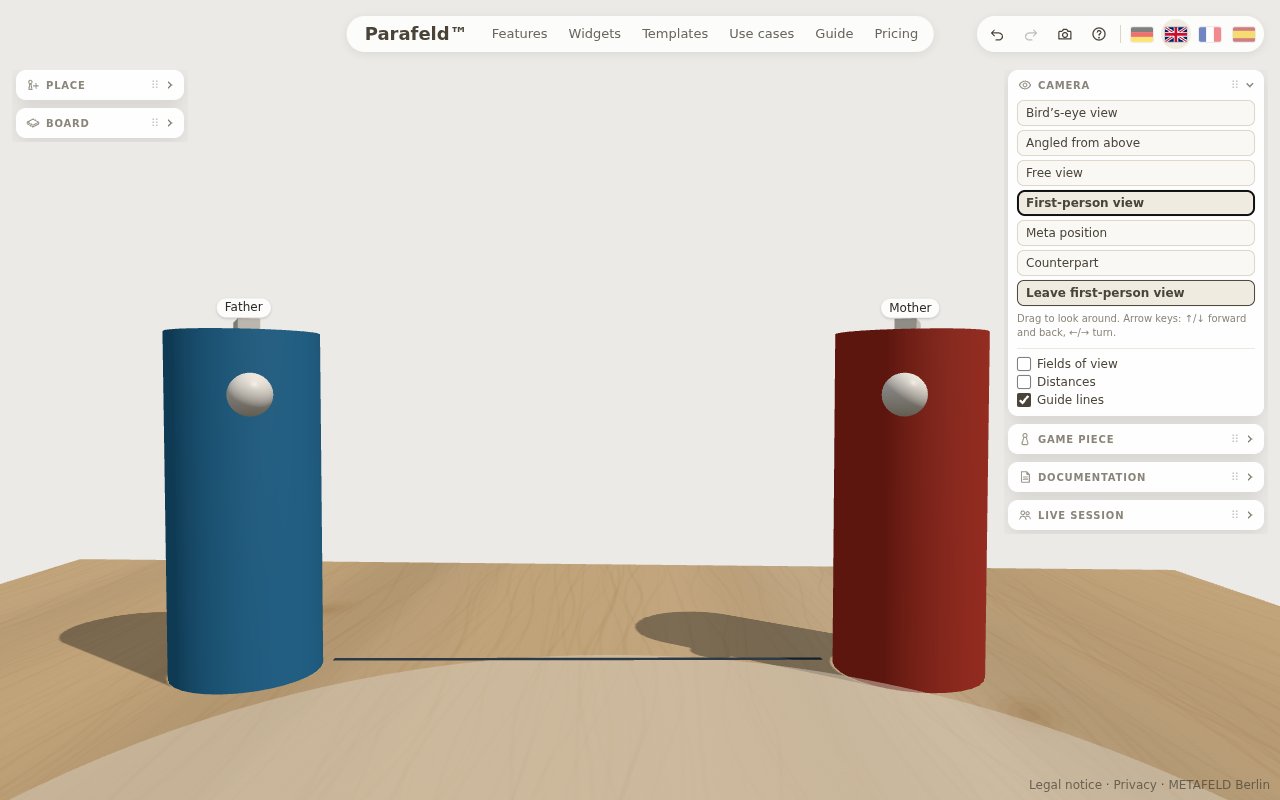
Seeing through the eyes of a figure
For the first-person view, select a figure and click “First-person view” in the “Camera” widget – or press the I key. The menu opened by right-click or long press offers it as well. The camera is then at the figure’s eye level and looks in its line of sight.
Dragging looks around without changing the figure. With the keyboard, the figure itself walks: ↑ and ↓ move it two centimetres forward or back, ← and → turn it by five degrees. The new spot remains on the board. In this way you can explore how the picture changes when a person takes a step towards someone or turns away. “Leave first-person view” or Esc takes you back.
Meta position: standing behind the figure
The meta position (key M) shows the board from slightly behind the selected figure. The figure itself stays in the picture. You see what it has in front of it and, at the same time, how it stands there. This view keeps a little more distance than the first-person view – helpful when a position is distressing or when the client wants to look at her own figure from the outside.
Counterpart: switching to the figure being looked at

“Counterpart” switches to the figure that the selected figure is looking at; if it is not looking at anyone, to the nearest figure. This way a relationship can be viewed from both sides: first from the daughter looking at her mother, then from the mother who sees her daughter. Especially when working with couples and families, this makes it tangible that two people can experience the same relationship very differently.
Fields of view, distances and guide lines
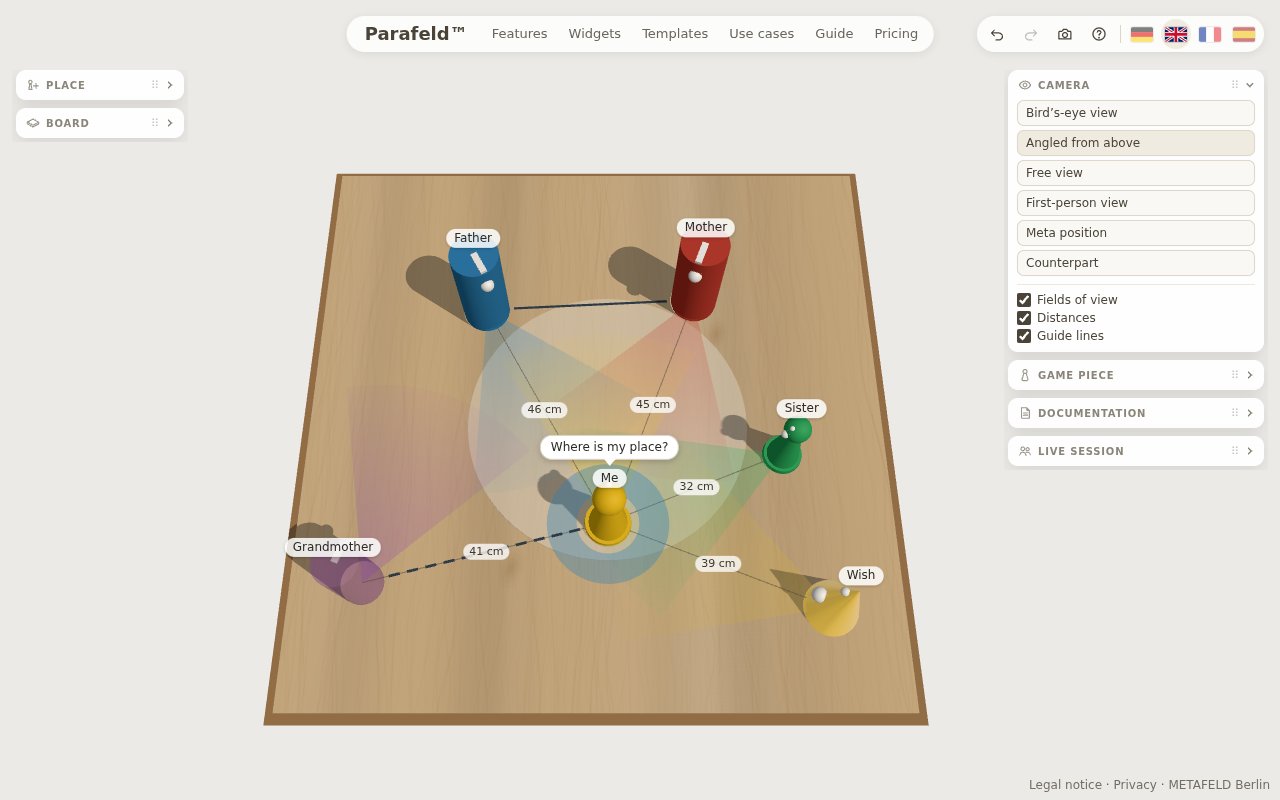
Three switches in the “Camera” widget make visible what you would otherwise only be able to estimate:
- Fields of view draw on the board, in front of each figure, the area it is looking at. Who has whom in view, and whom does nobody see?
- Distances show, for the selected figure, the distance to all other figures in centimetres.
- Guide lines appear while dragging and align an element with the others.
The lines of sight in the last picture also appear in the report – as “A looks at B” or “A and B look at each other”. More on this under Documentation; the page Distance and line of sight describes how to read closeness, distance and gaze on the board.
Perspectives in a shared session
In the live session, each participant sees the board on their own device. Whoever represents a figure switches to its first-person view with “From my figure’s view”. With “Through their eyes”, the facilitator sees what a participant currently has in front of her, and with “Show my view” sends her own view to everyone once; after that, everyone looks around freely again.
The view from one’s own figure is also kept after the session: in the picture to take home, the client looks at her solution picture “Through my own eyes” – provided her figure was specified when the picture was created.
Frequently asked questions about the first-person view
What is the first-person view on the systemic board?
The view of the board from the spot where a figure stands – at its eye level and in its line of sight. You see whom the figure has in front of it and whom it does not. On a wooden board this change of perspective happens in the imagination; on the 3D systemic board it becomes visible.
How do the first-person view and the meta position differ?
In the first-person view you stand inside the figure and see only what it sees. The meta position shows the board from slightly behind the figure; the figure itself stays in the picture. It keeps a little more distance and is suitable when a place is distressing.
Can the client switch to her own figure herself?
Yes. Working alone on the board, she selects the figure and presses I or clicks “First-person view”. In the live session, she switches with “From my figure’s view” to the figure she represents and sees the board on her own device.